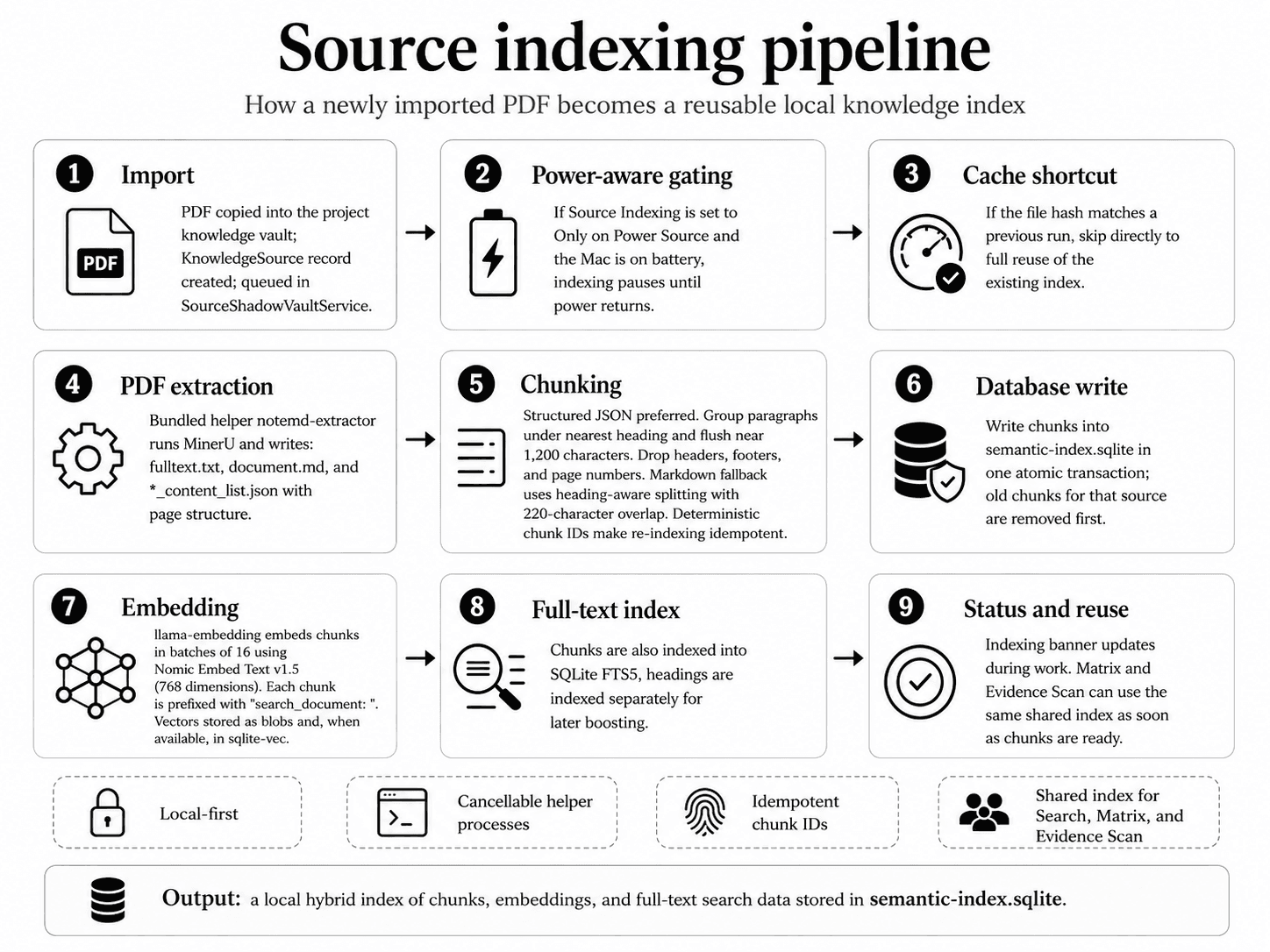
Semantic search runs a hybrid retrieval strategy. It combines vector similarity (meaning) with keyword search (precision) and then fuses the two rankings. The same retrieval foundation powers Matrix extraction and Evidence Scan — with different shaping per use case.
Two paths, one hybrid index.
The retrieval layer reads from the local hybrid index built during source indexing. From that index, two distinct paths emerge: a human-facing Search view tuned for ranked readable results, and a machine-facing retrieval path tuned to feed an LLM in Matrix and Evidence Scan.
Step by step.
- 1
Premium gate & validation
The Search view requires Premium and at least a 2-character query.
- 2
Query embedding
Your query is embedded once by the same Nomic model used at index time, with the
"search_query: "prefix. One embedding per search, not one per source. - 3
Candidate gathering
The service pulls a wide candidate pool from each side of the index:
- Semantic side — top-K nearest vectors (cosine distance) via
sqlite-vecif available, or a brute-force scan if not. - Keyword side — BM25-ranked matches from the FTS5 table.
The pool is over-fetched (typically 8× the requested limit, capped at 1,000) so the ranking step has enough material to work with.
- Semantic side — top-K nearest vectors (cosine distance) via
- 4
Ranking & scoring
Candidates are scored as a weighted sum:
0.72 × semantic_score
+ 0.28 × keyword_score
+ 0.08    if the query appears verbatim in the chunk
+ 0.05    if the match is in a heading
The first
topResultCountslots (default 10) are filled unconditionally — you always see the strongest matches even if their scores are low. Additional slots are gated by thesimilarityThresholdpreference (default 72%), so noisy long-tail matches do not pad the list. - 5
Final results
The Search view returns at most 120 results, sorted by composite score descending — tuned for human-readable relevance.
Retrieval for Matrix and Evidence Scan.
These two features use different code paths that bypass the project-wide Search view. Both pull from the same hybrid index, but with different scoping and fusion strategies.
Matrix
Matrix calls rankedChunks(forSourceID:query:limit:15) — retrieval is scoped to a single source (the row being extracted). It pulls top semantic + top keyword matches just from that source's chunks, then merges them via Reciprocal Rank Fusion.
Evidence Scan
Evidence Scan calls rankedChunksAcrossSources(sourceIDs:perSourceLimit:4,totalLimit:12) — retrieval iterates each in-scope source, pulls 4 candidates per source, and fuses the per-source rankings into a global top 12 via RRF.
Reciprocal Rank Fusion.
RRF is the fusion formula used everywhere retrieval feeds an LLM:
score(chunk) = Σ   1 / (k + rank_in_list)

           with k = 60   (canonical default)
Each chunk's rank in the semantic list and the keyword list both contribute. The result: chunks that appear high in either list rank well, and chunks that appear in both are rewarded twice.
Why RRF instead of the weighted-sum scoring used by the Search view? RRF is rank-based, so it does not care about score-scale differences between cosine distance and BM25 — that makes it more robust when retrieval needs to feed an LLM (Matrix and Evidence Scan) rather than a human-readable list.
Document-order fallback.
When both indexes return zero matches — e.g. a freshly added column with a vague prompt that does not match any chunk well — Matrix and Evidence Scan fall back to document-order chunks: typically the abstract, introduction, and first few sections. This means the AI always has something relevant to look at, which is better than failing the cell.