
Zotero + Obsidian + your PDF reader, in one Mac app

Write with Clarity.
Think in Layers.

A local-first research workspace for Mac. For students and researchers who read papers, manage sources, take linked markdown notes, cite evidence, and turn literature into structured writing — without scattering their workflow across Zotero, Obsidian, PDF readers and writing apps.

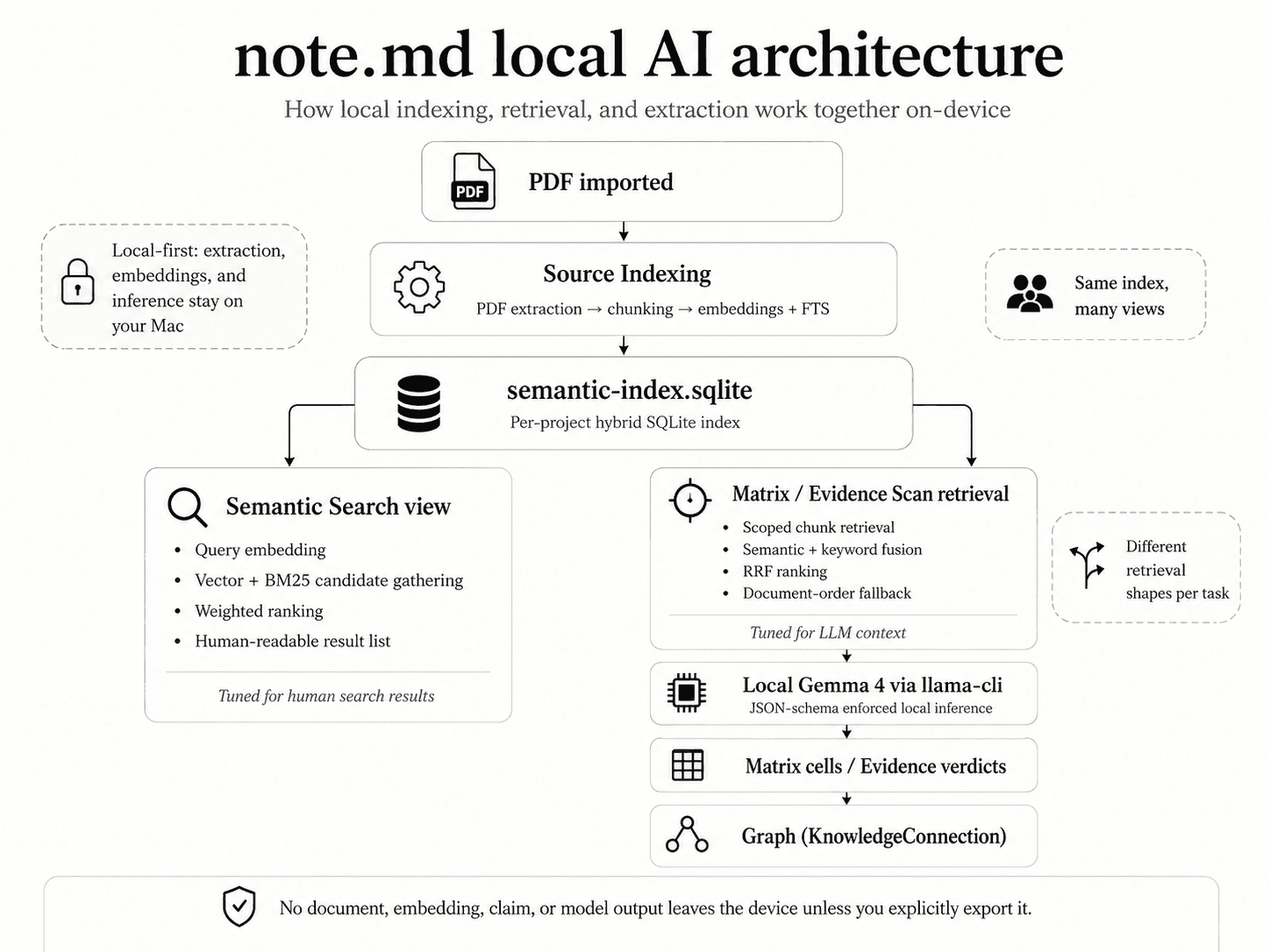
Local AI helps you search what you’ve read. Your thinking stays yours.

Download on the App Store

Made for the rigor of programs like

HarvardMITStanfordOxfordCambridgeETH Zürich

What is note.md?

The academic IDE

All your PDFs, in one place

Drop in every paper for your thesis. Read, organize and tag them without leaving the app — no more Zotero tab open in the background.

Notes that become your paper

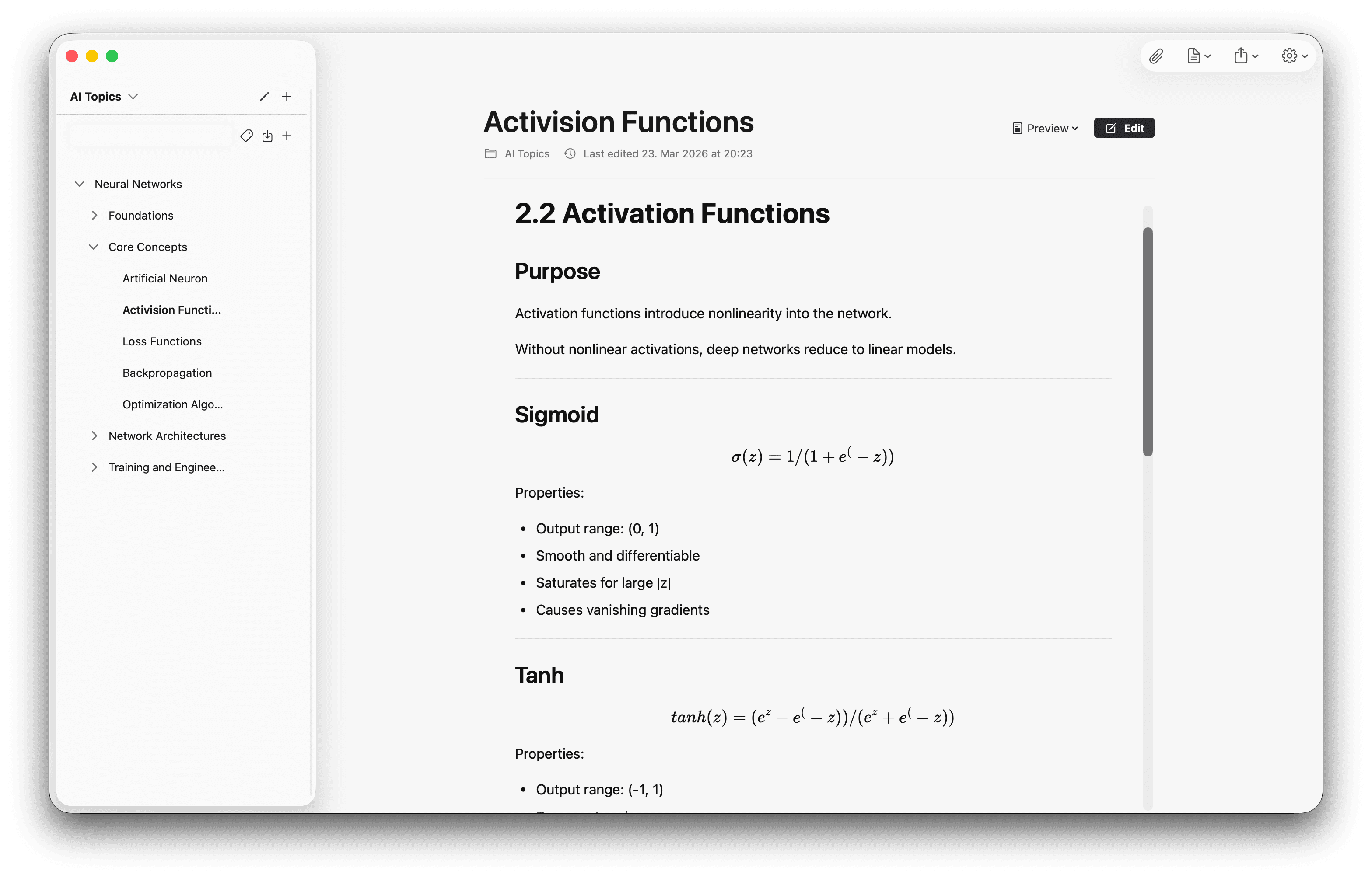
Take linked notes in markdown as you read. Watch them grow into the chapter you’re actually writing — no separate Obsidian vault to sync.

Citations that just work

Insert BibTeX or APA citations straight from a PDF’s metadata, with every cite linked back to the highlight it came from.

note.md editor screenshot

Yours, ten years from now.

Built for how researchers actually work

Local and Private Vault

Your notes never leave your machine. Your thoughts stay yours.

Real markdown + LaTeX

GitHub-flavored markdown, complex tables and LaTeX math, all in plain-text files you can open in any editor.

Your notes, linked

Connect ideas with bidirectional links and see the whole network in a visual graph view.

Feature

Reading Studio.

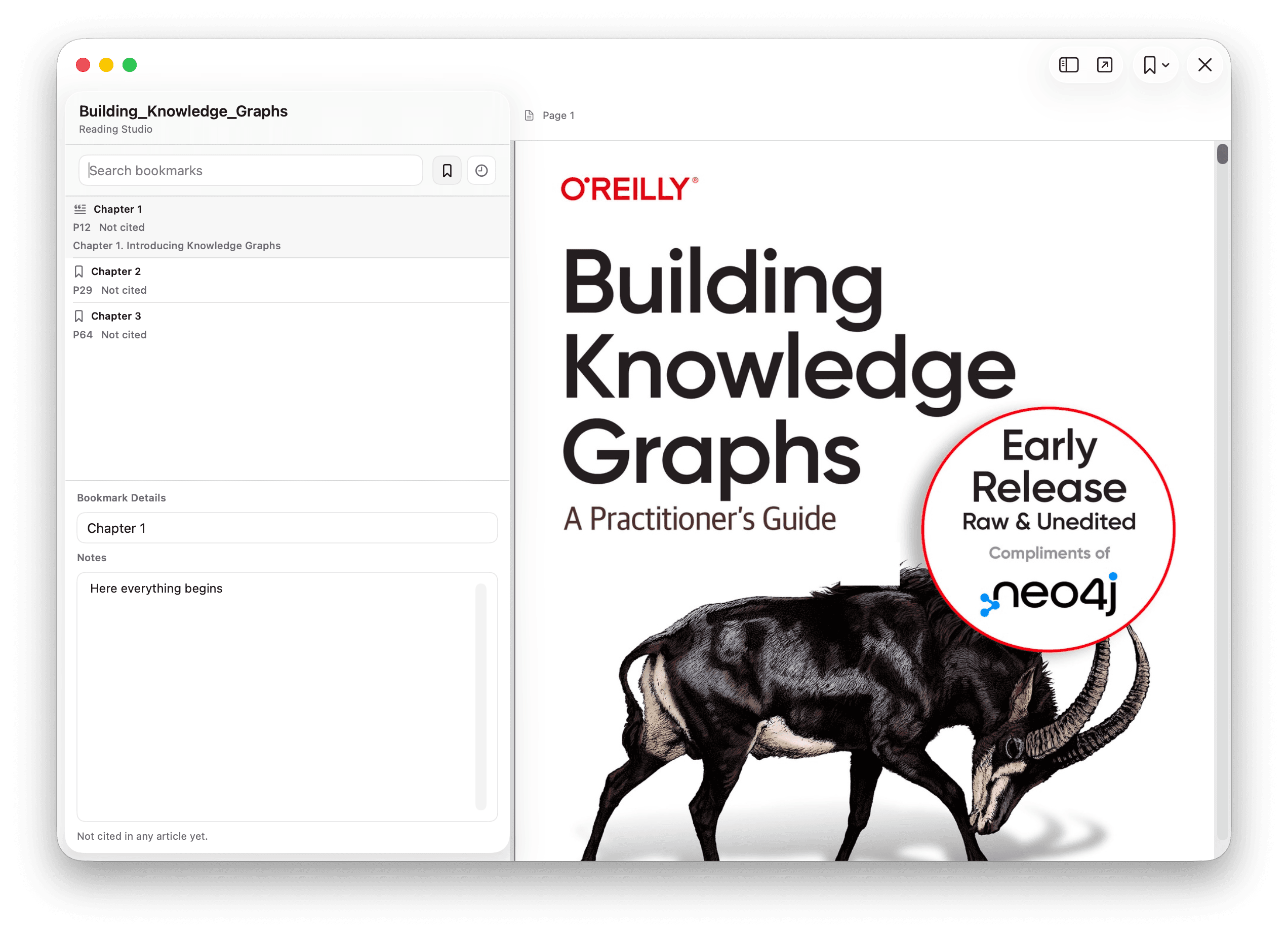
Read with intention, highlight key insights, and cite sources in your markdown notes with a single click.

auto_stories

Side-by-Side Reading

View your PDF and your note editor in a seamless dual-pane interface.

format_quote

Smart Citations

Automatically generate BibTeX or APA citations from PDF metadata.

note.md Reading Studio screenshot
Feature

Knowledge Management.

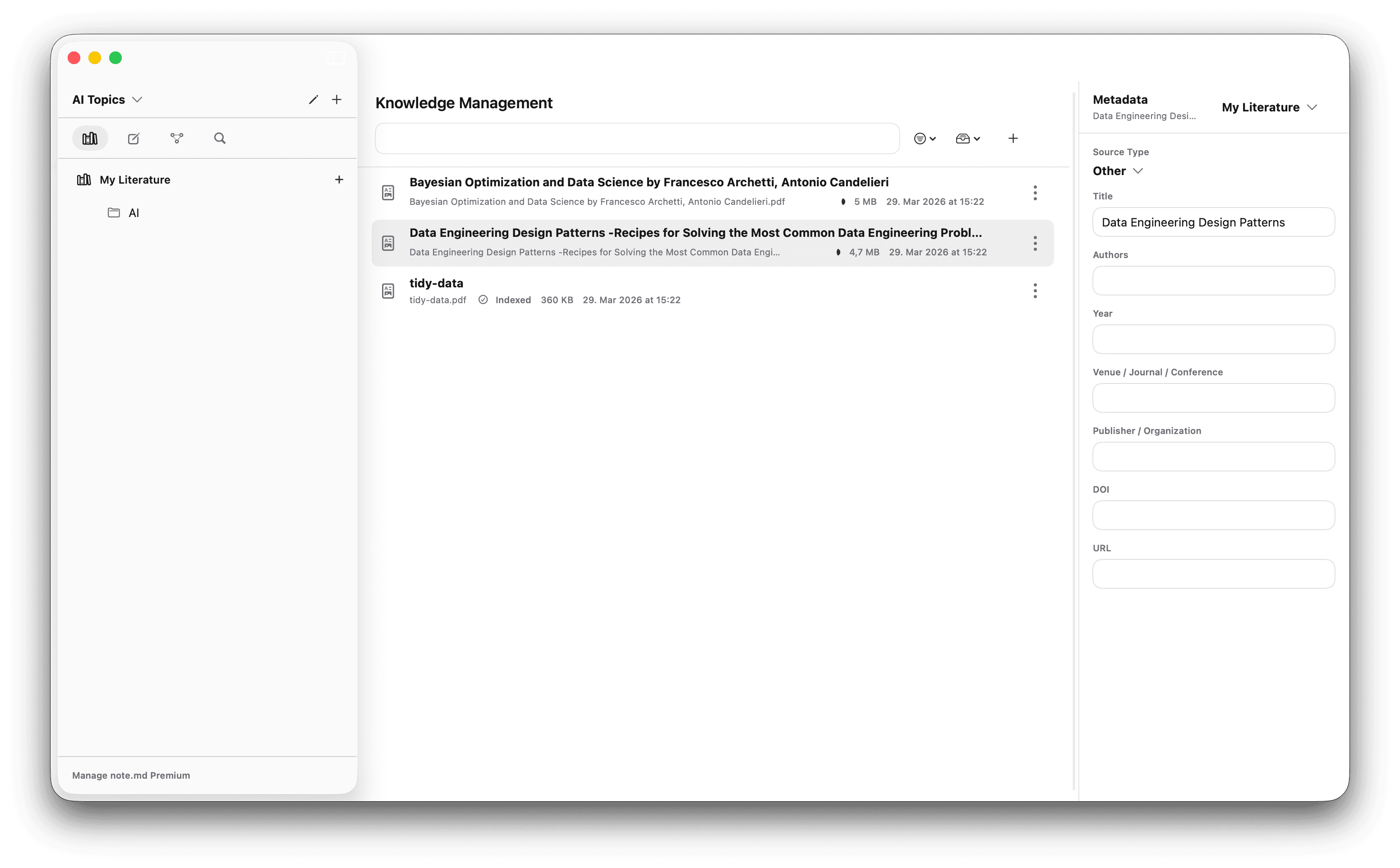
Import scientific papers and complex PDFs directly into your workspace. Fill the metadata, and export all your sources at once as a .bib file.

folder_managed

Source Management

View all your PDFs and sources at once and structure them by topic.

database_search

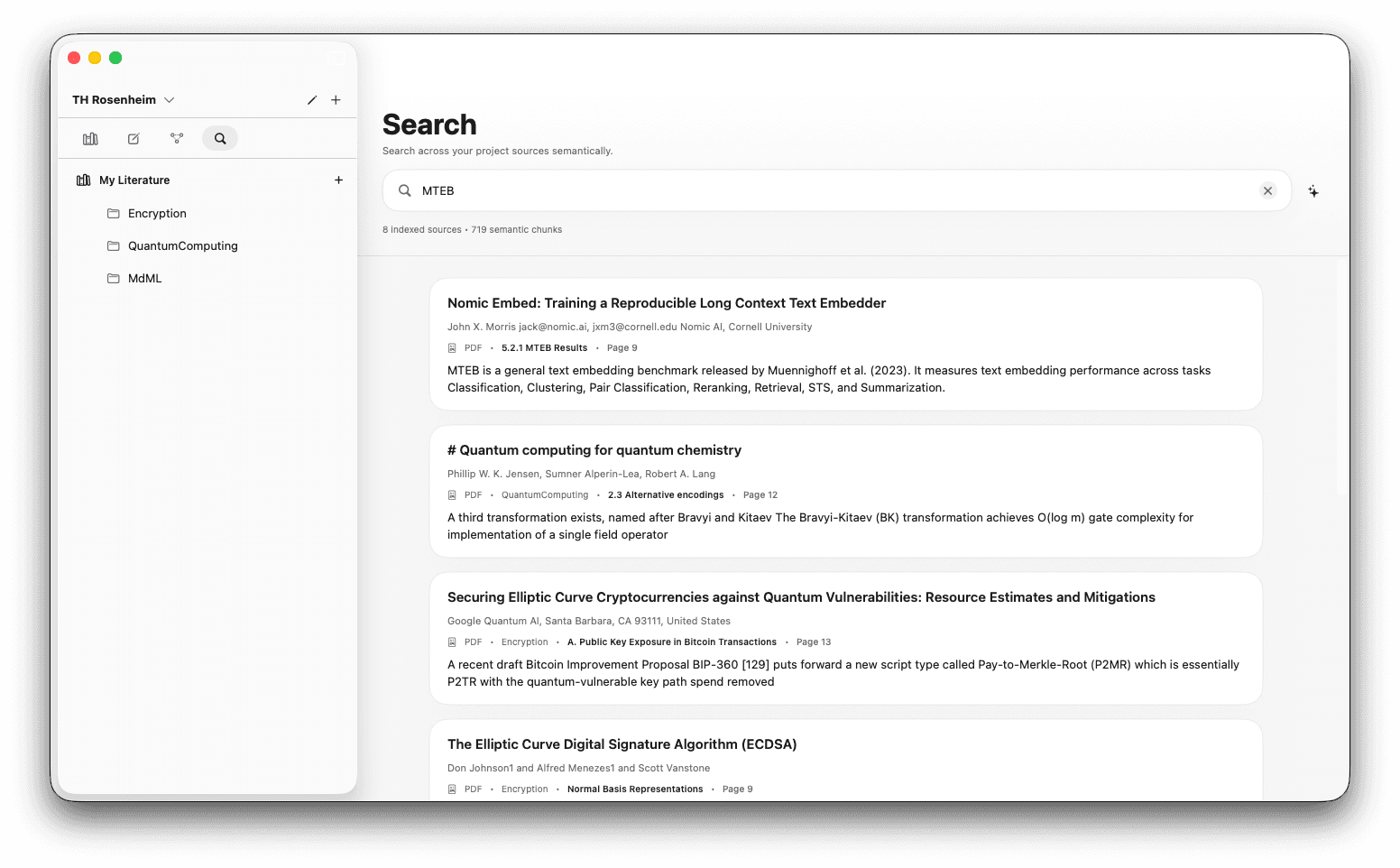
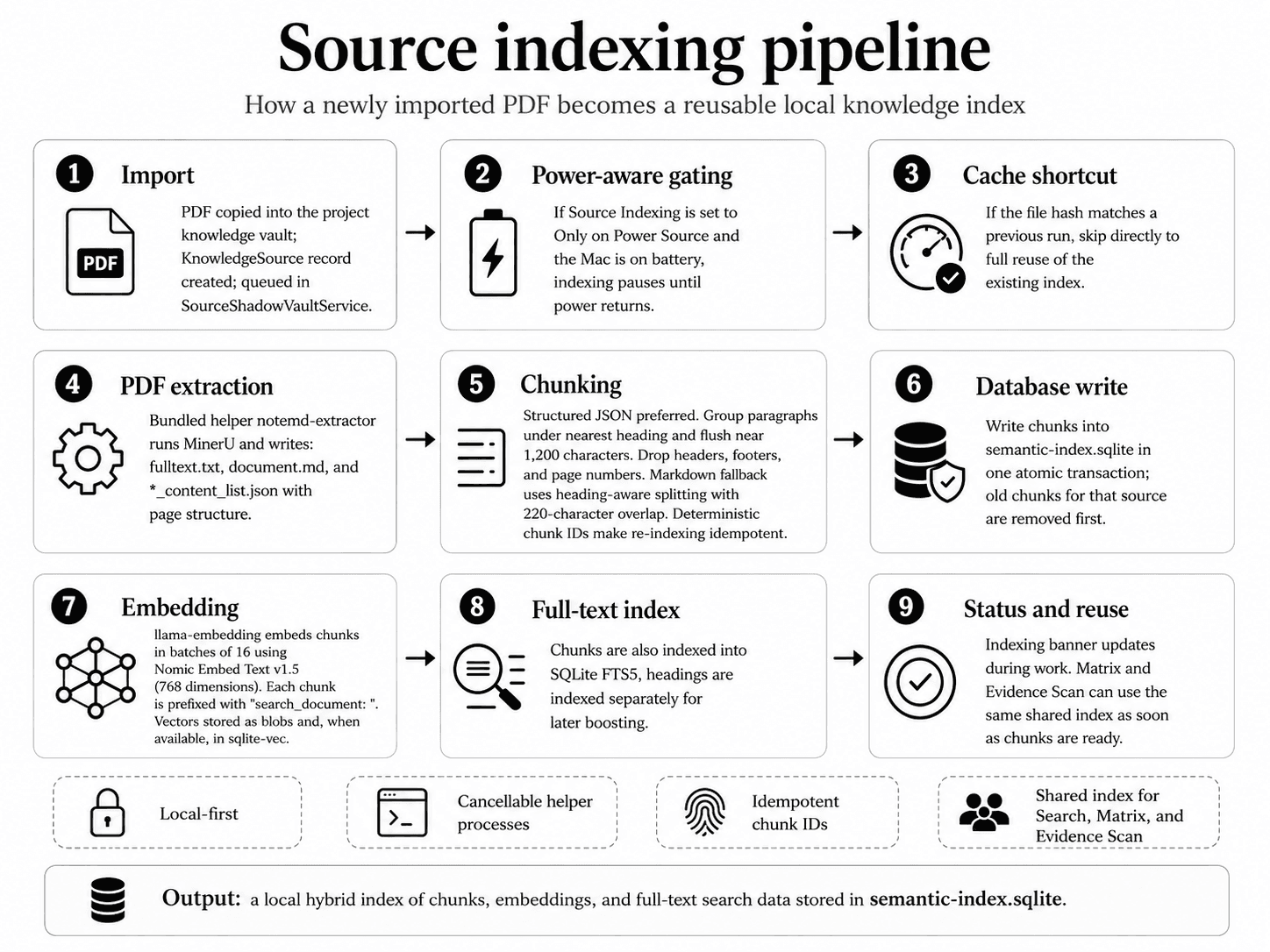
Automatic Indexing (Premium)

Automatically extract figures, charts, and tables from your PDFs and insert them into your articles.

note.md Knowledge Management screenshot
Feature

Graph View.

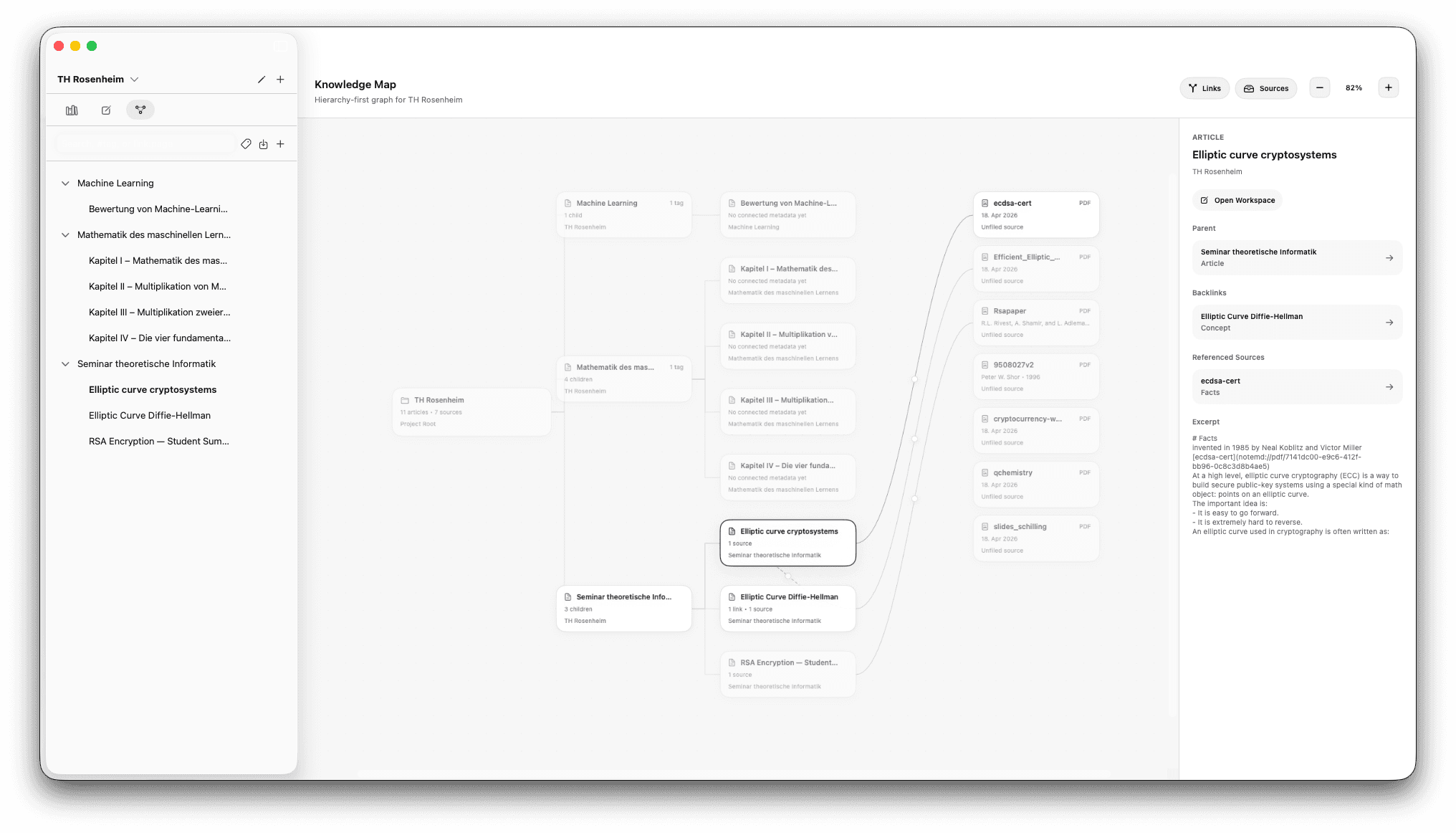
See how your articles and sources are connected.

hub

Relations

View your sources and your notes together in one connected graph.

account_tree

Neo4j Support

Export your graph in a Neo4j-friendly format.

note.md Graph View screenshot

Where your paper actually takes shape.

- High-contrast serif typography

- Absolute minimalism

- Distraction-free toggle

The Philosophy of Intentional Design

"Simplicity is the ultimate sophistication."

When we design digital tools, we often forget that the primary goal is not the interaction with the tool itself, but the output it enables. note.md was built on the principle that the UI should dissolve the moment you begin to type.

By using markdown as the fundamental storage format, we ensure that your data is truly yours: portable, readable, and future-proof. No proprietary formats, no lock-in.

This is where the second brain comes in. It is not just about storage; it is about synthesis. When you link two concepts together, you are not just creating a path, you are creating a new perspective.

Common questions from researchers

What people ask before switching.

What's the best app for organising research papers on Mac?
It depends what you want it to do. If you only need a citation manager, Zotero is the long-standing free option. If you only need notes, Obsidian or Notion are popular choices. note.md is built for the people who want all of it in one place — reading PDFs, taking linked notes, managing citations and writing — without juggling four apps or syncing libraries across them.
Is there a good Zotero alternative for Mac?
Zotero is excellent at what it does — managing references — but it's a separate app from where you actually write. note.md keeps the reference manager, the PDF reader, the notes editor and the citation system in one window, with every citation in your draft linked back to the exact highlighted passage you took it from.
How do I keep my notes, sources and citations in one place?
Use a single tool that holds all three rather than syncing between them. In note.md, your sources (PDFs) live in Knowledge Management, your notes are written as articles in the same project, and citations created with /cite stay anchored to specific bookmarks inside your PDFs — so months later you can still click any citation and land on the exact passage that justified it.
Can I use note.md without an internet connection?
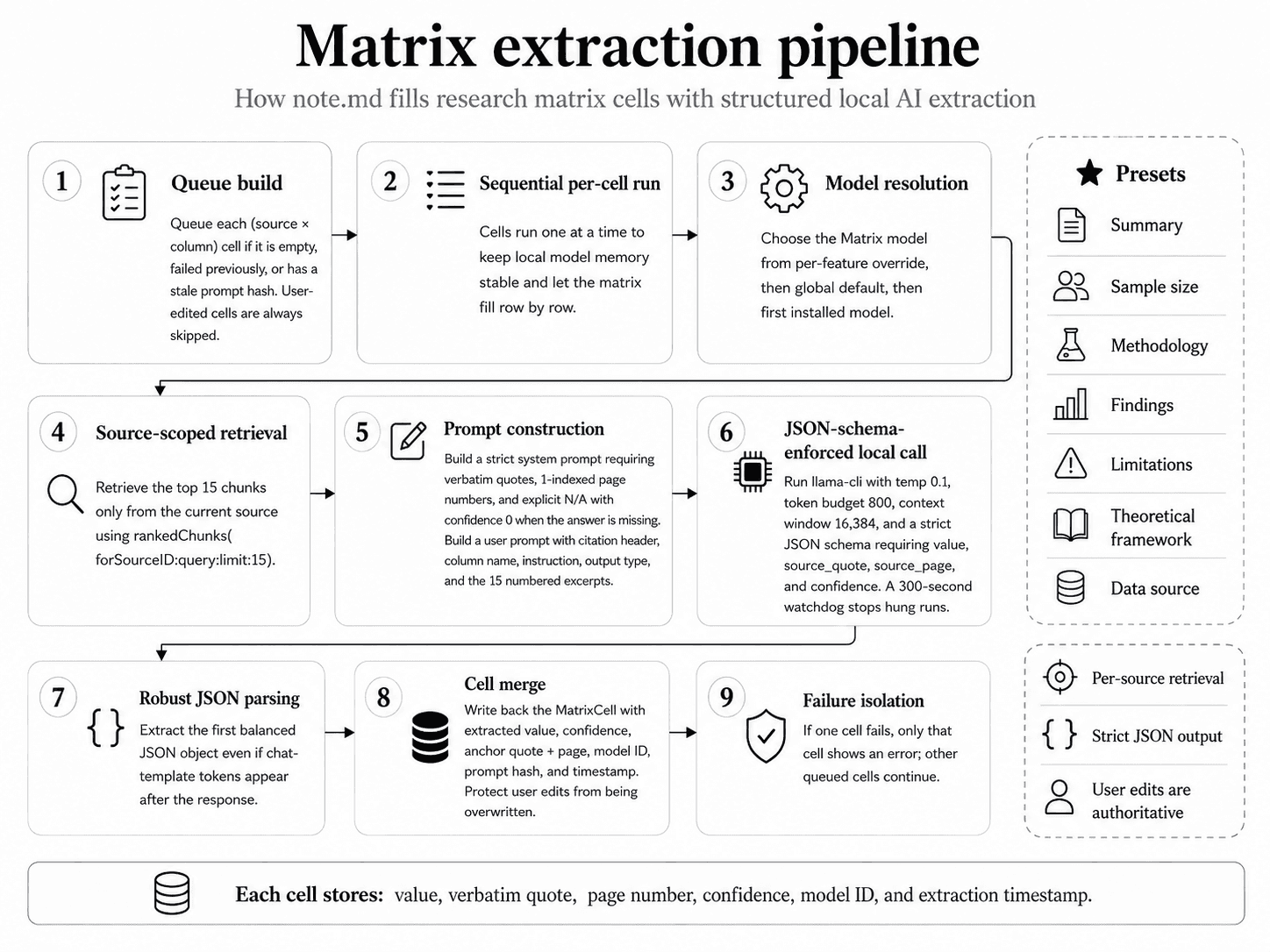
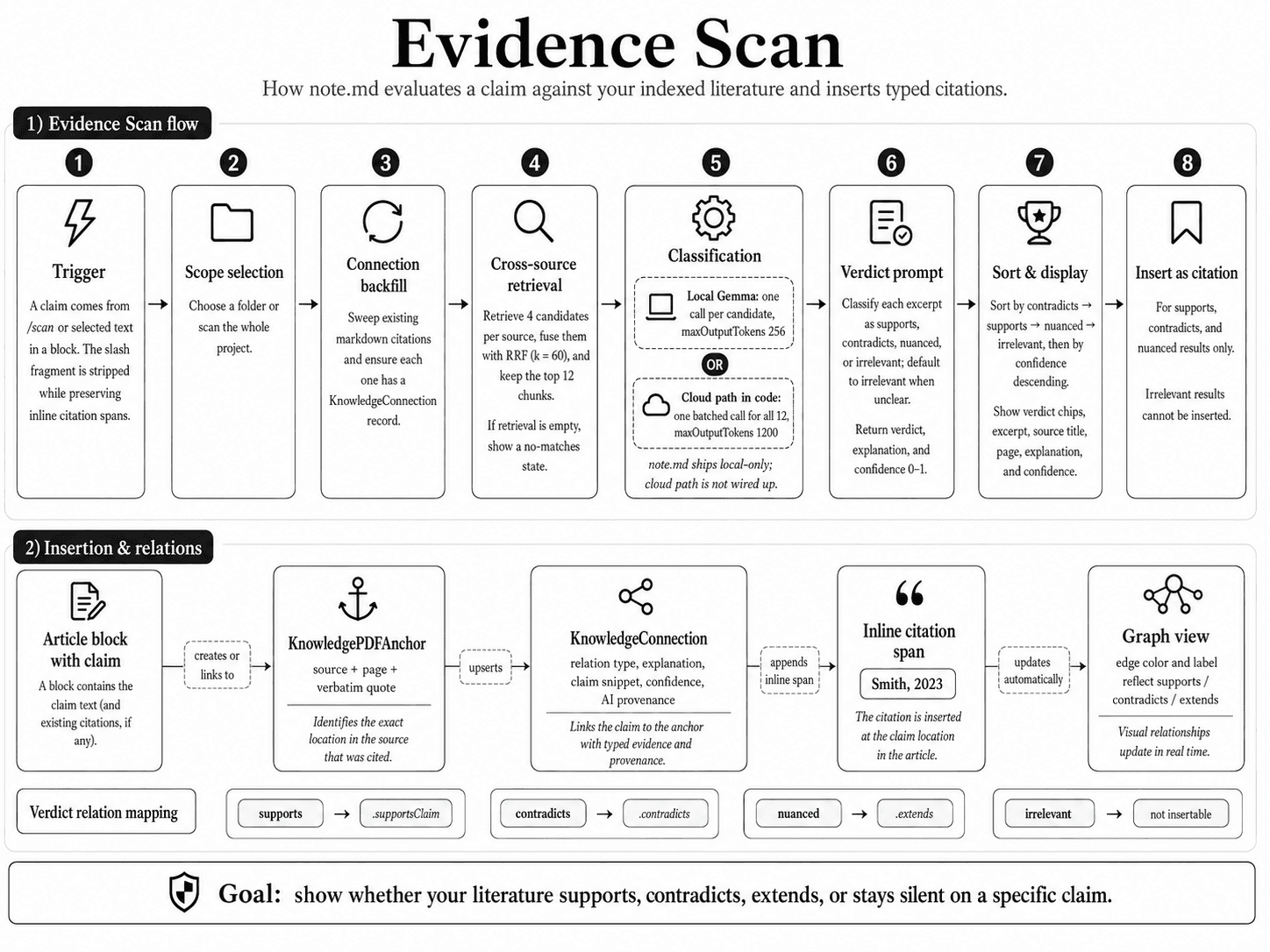
Yes. note.md is local-first: your notes, your PDFs, your indexes and all AI features run entirely on your Mac. You don't need an internet connection to read, write, search, or run local-AI workflows like /scan or matrix extraction.
Will note.md use my notes to train AI models?
No. Your notes never leave your machine. All AI in note.md runs locally on-device — there is no cloud server collecting your content, no telemetry uploading the text of your articles or sources, and nothing of yours used for model training.
Does note.md work with my existing PDFs and Zotero library?
Yes. Drop any PDF directly into Knowledge Management and note.md handles the rest — metadata extraction, optional indexing, and citation generation. There's no proprietary file format, and you can export your bibliography as a standard .bib file for use in LaTeX or import into another reference manager any time.
Pricing

Free to start. Premium unlocks local AI.

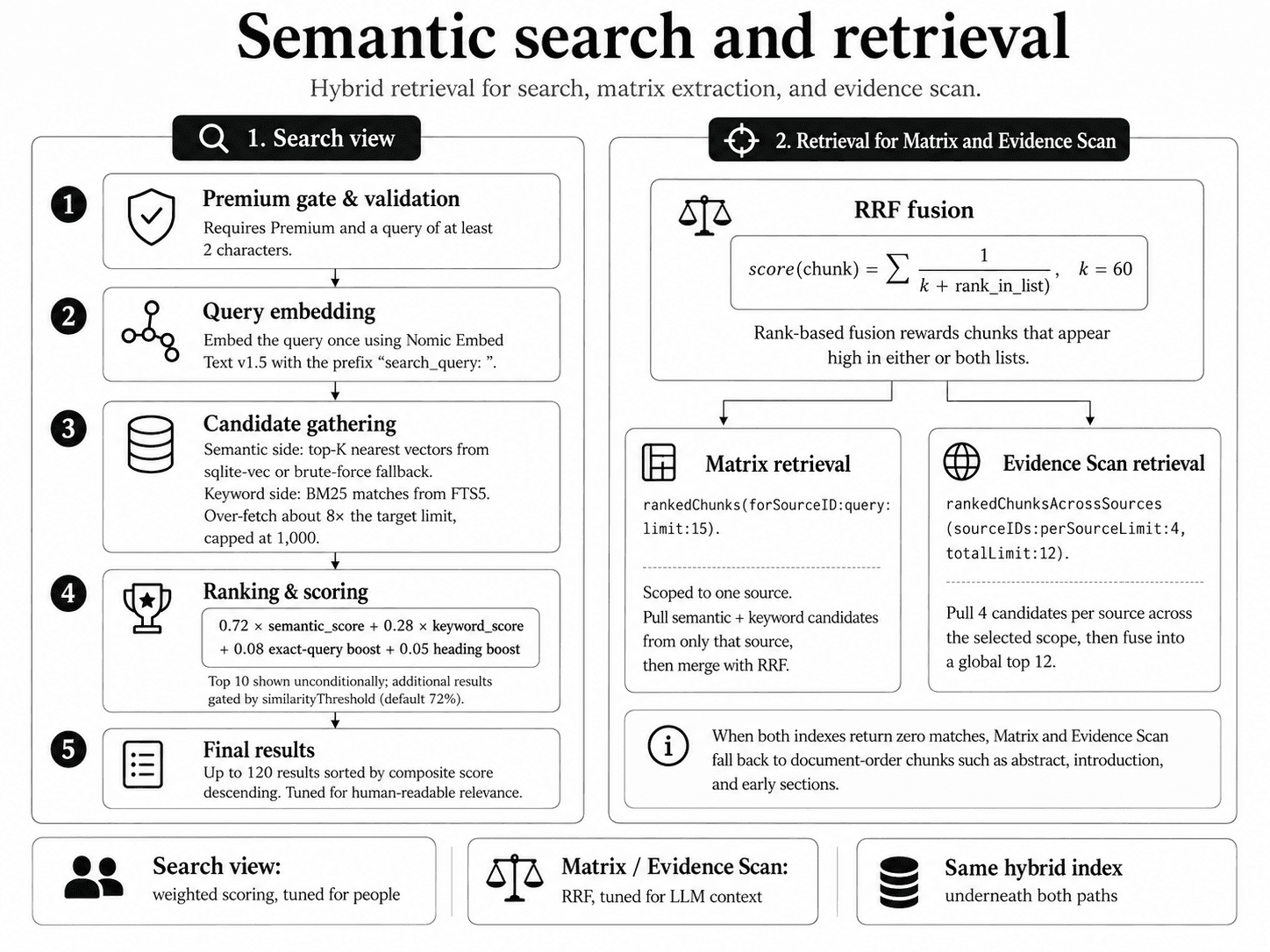
The full writing workspace is free, forever. Premium adds the local-AI workflows — semantic search, Matrix extraction, Evidence Scan. Students from $4.99/mo.

See pricing →

Focus on what matters.

Download note.md and stop scattering your work across Zotero, Obsidian, your PDF reader and a writing app. Private, local-first, and free to start.

Download on the App StoreFree on the App Store