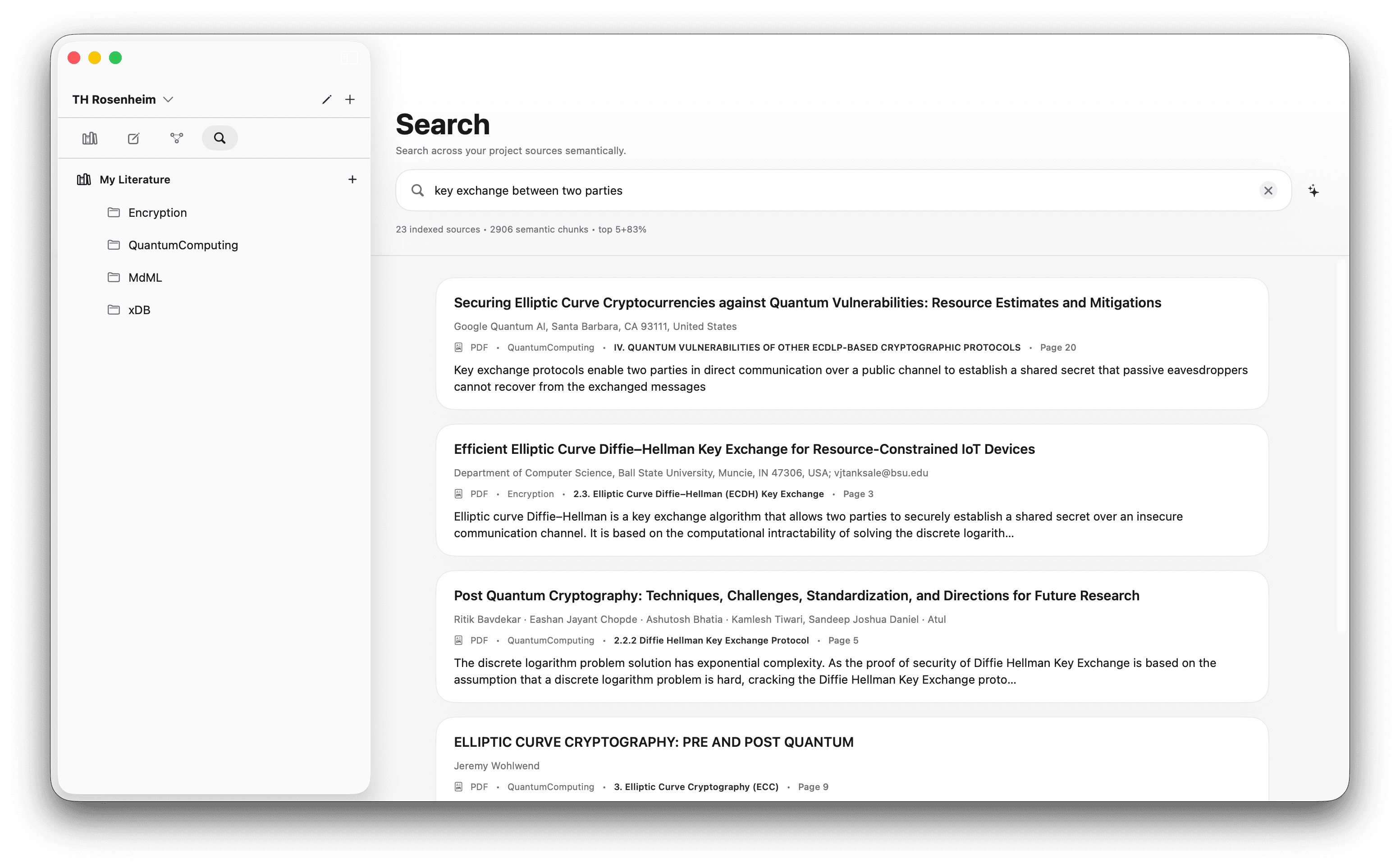
You’ve got forty PDFs and a deadline. The usual flow goes: tag them in Zotero, drag highlights into a Word doc, maintain a spreadsheet matrix by hand, and Cmd-F through every paper to remember which one said what. In note.md the library, the matrix, and a search across every passage all live in one window — and you stay the one drawing the conclusions.
Sort papers into a real library.
Drop every PDF for the review into Knowledge Management. From here on, the literature isn’t a folder of files — it’s a structured library you can filter, tag and query.
There’s a lot on this screen, so here’s a guided tour. The numbered markers on the screenshot below match the legend underneath it.
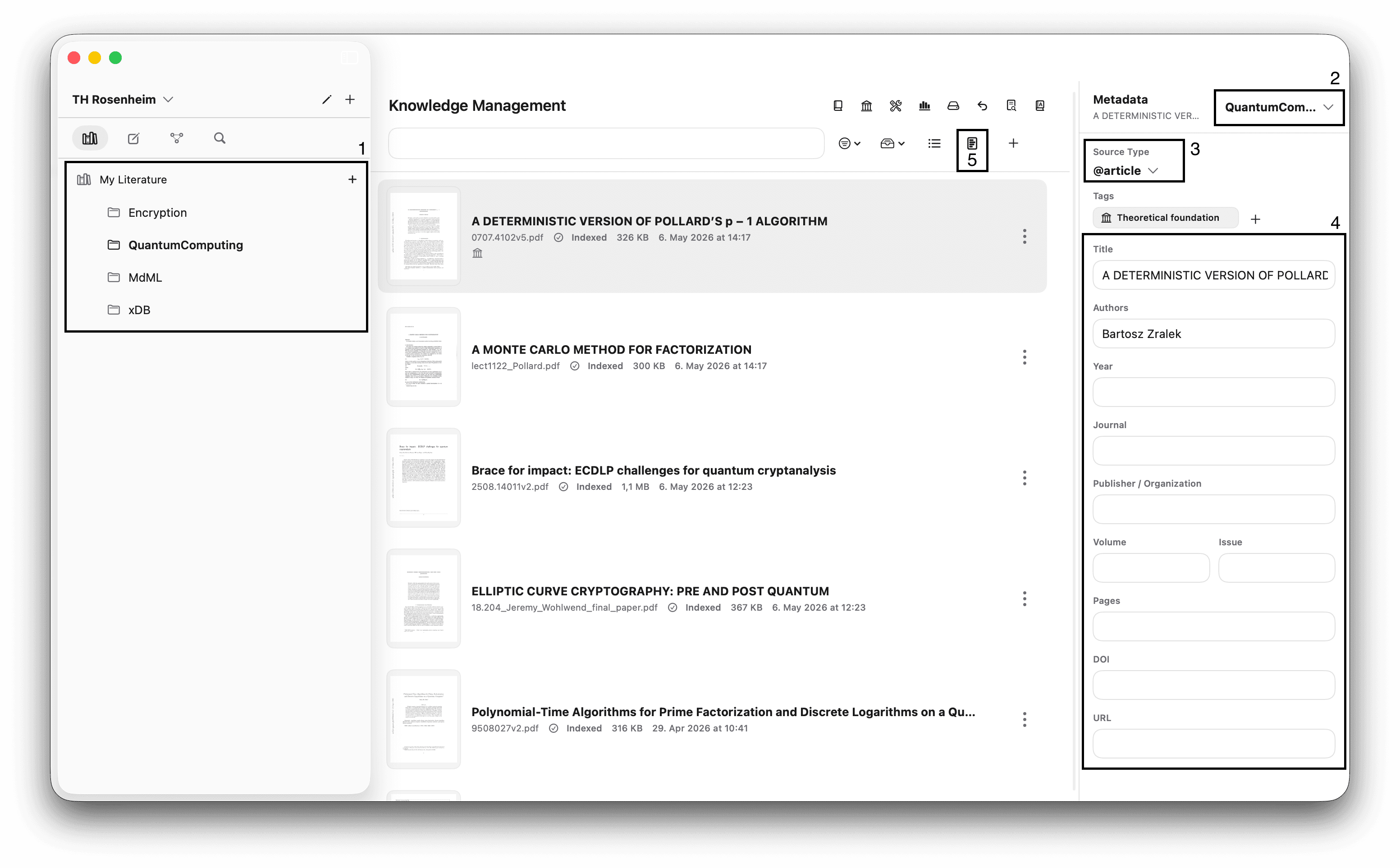
Literature folders
The folder list in the sidebar. Filter and sort your library by chapter, theme or status — whatever helps you keep coverage organised as the corpus grows.
Folder assignment
The selector for the currently-open source. Assigns it to a folder — and the same source can live in several folders at once.
Source type
Article, book, conference paper, thesis. This is what drives the .bibexport later, so if there’s any chance you’ll use the source in LaTeX, set it correctly now and your bibliography stays clean.
Source metadata
Title, authors, year, DOI, journal — the fields that make citations work. With Premium, these auto-fill after indexing, but the model isn’t perfect yet, so glance through and correct anything off. A one-time minute per paper now saves hours of citation cleanup later.
Open the matrix
Pivots from this single-source view to the extraction matrix for the folder currently selected in the sidebar. That’s where step 2 happens — keep reading.
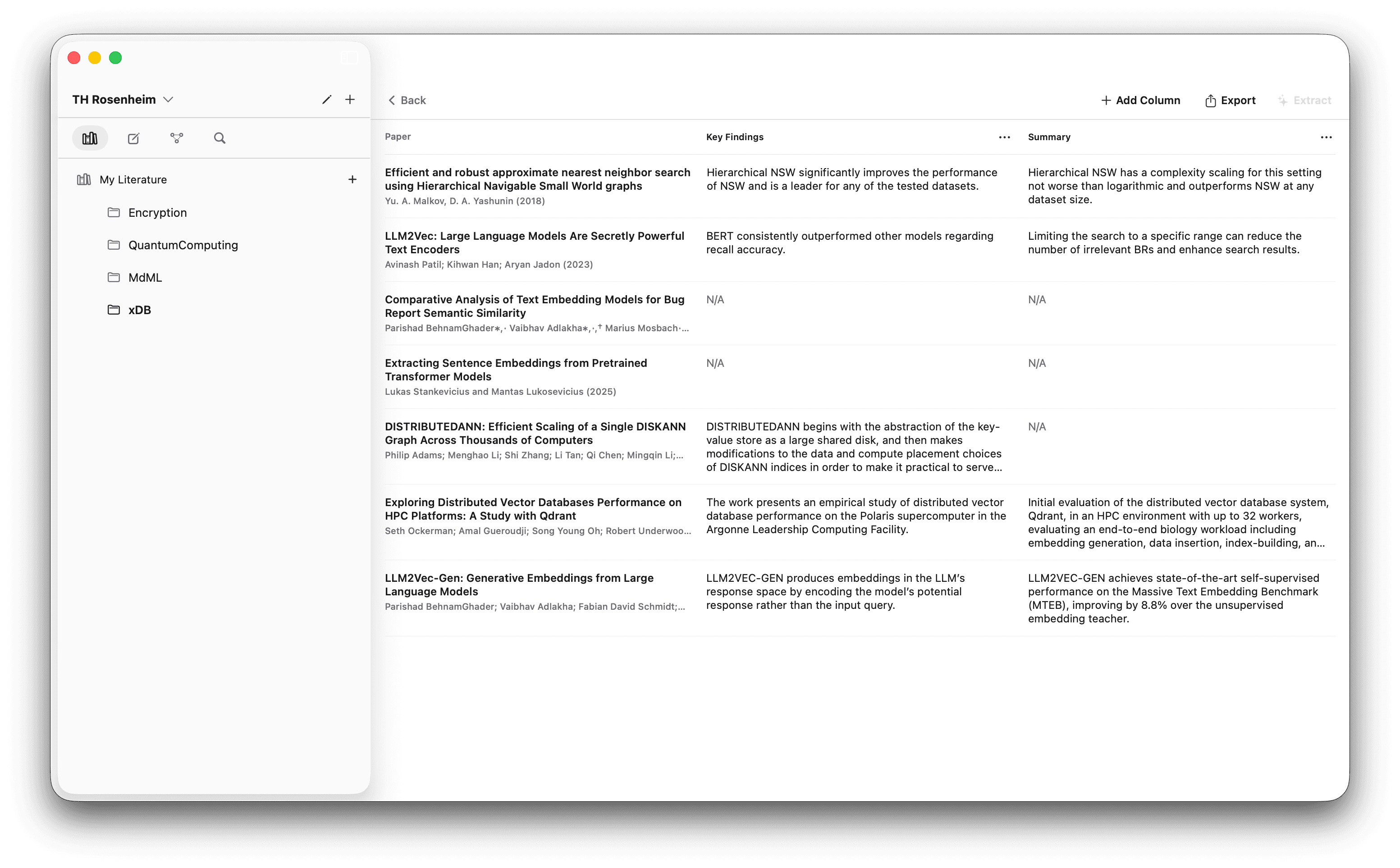
Let local AI fill an editable matrix you control.
Scope first: the matrix queries whichever folder you have selected in the left sidebar — only the sources assigned to that folder feed the extraction. The folder structure from step 1 isn’t decoration; it’s the unit of analysis. Switch folders to run a different matrix from the same library.
Then decide what counts as a finding for your review. Sample size? Method? Confounders? Effect size? The columns of the matrix are your research question, expressed as a list of fields. note.md ships a set of column presets to start from, or you can define your own from scratch.
The view at the top of this page shows the result of running an extraction across a small corpus. Each row is a paper; each cell, a structured pull-out from that paper.
Two levers stop it from being a black box.
Editable cells. Every cell is yours to correct, with the source passage one click away. The matrix is a draft your assistant prepared, not a verdict.
Editable prompt.Not happy with what the model is pulling for a column? Open the extraction prompt and tweak it. If a column is consistently weak, the fix usually lives in the prompt — experiment until the output matches what you actually want extracted.
Find what you read, by meaning.
When you’re writing and need “that quote about confounders from one of the cluster-trial papers”, you don’t want to grep — you want to ask. Open the search panel from the sidebar, or hit ⌘ + 4.
Search is hybrid: a vector model handles meaning, BM25 handles exact terms. You get the passages that match your intent even if the wording differs — and the verbatim hits when you remember the exact phrase. Click a result to land in the exact passage in the source.